SIBA Portugal 2026 : Guest Registration, Login & Compliance Guide
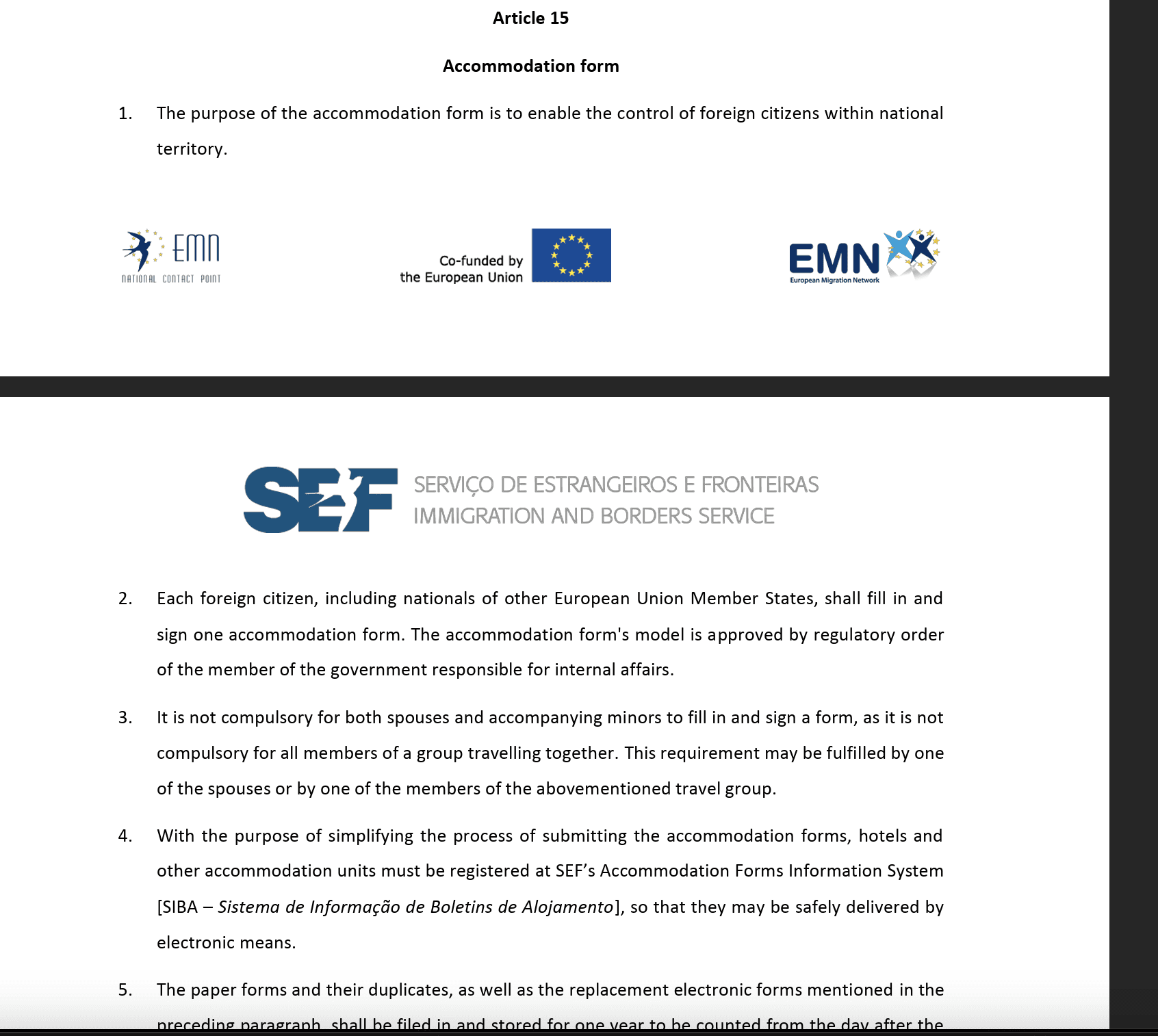
If you host guests in Portugal — whether through Airbnb, Booking.com, or direct bookings — you have a legal obligation to register every foreign guest with the Portuguese immigration authority. This is done through SIBA: the Sistema de Informação de Boletins de Alojamento (Accommodation Form Information System).
If you skip it, get it wrong, or miss the deadline, you face fines. This guide covers everything you need to know to stay compliant — and how EazyAL takes this task completely off your plate.
Looking for the link? Go to the SIBA portal Open https://siba.ssi.gov.pt and click "Área Reservada" in the top right corner.
Can I do SIBA myself, or should I automate it?
Yes, you can report to SIBA yourself. Once your accommodation is registered with AIMA (formerly SEF), you get access to the SIBA portal (área reservada), where you log in and manually enter each guest's details — name, nationality, document number, and check-in and check-out dates — within three days of every arrival.
For a single booking once in a while, that's manageable. The problem is volume and timing. Every guest has to be entered by hand, the deadline is strict, and missing or late submissions can lead to fines. If you manage several listings, or get back-to-back check-ins, the manual portal quickly becomes a recurring chore you can't afford to forget.
That's exactly what EazyAL automates. We connect to your Airbnb and Booking.com reservations and send the guest data to SIBA for you — accurately and on time, every time. No logging into the portal, no re-typing passport details, no missed deadlines.
Stop doing SIBA by hand. EazyAL reports your guests to SIBA automatically, so you stay compliant without lifting a finger. Create your free account
What Is SIBA in Portugal ?
It is the official, mandatory online government portal used in Portugal to report the stay of foreign guests.
By law, any individual or business providing paid, temporary accommodation to non-Portuguese citizens must register their guests. This legal obligation applies to
SIBA, SEF or AIMA — what changed?
SIBA replaced the old paper-based Boletim de Alojamento system and brought guest registration fully online. It is managed by AIMA (Agência para a Integração, Migrações e Asilo) — the agency that replaced SEF (Serviço de Estrangeiros e Fronteiras) in 2023. The name of the agency changed, but the obligation for hosts did not.
Who Is Required to Register Guests to the "new SEF"?
Any host who charges guests for accommodation in Portugal must register stays in SIBA AIMA.
This applies to:
Airbnb hosts with an Alojamento Local (AL) license
Hosts on Booking.com, VRBO, or any other platform
Hosts who accept direct bookings
Bed and breakfast operators and rural tourism properties
Important: You must register all foreign guests — meaning anyone who is not a Portuguese citizen. This includes EU citizens, UK nationals post-Brexit, and guests from every other country.
Portuguese citizens do not need to be registered through SIBA, but it is good practice to collect their details for your own records.
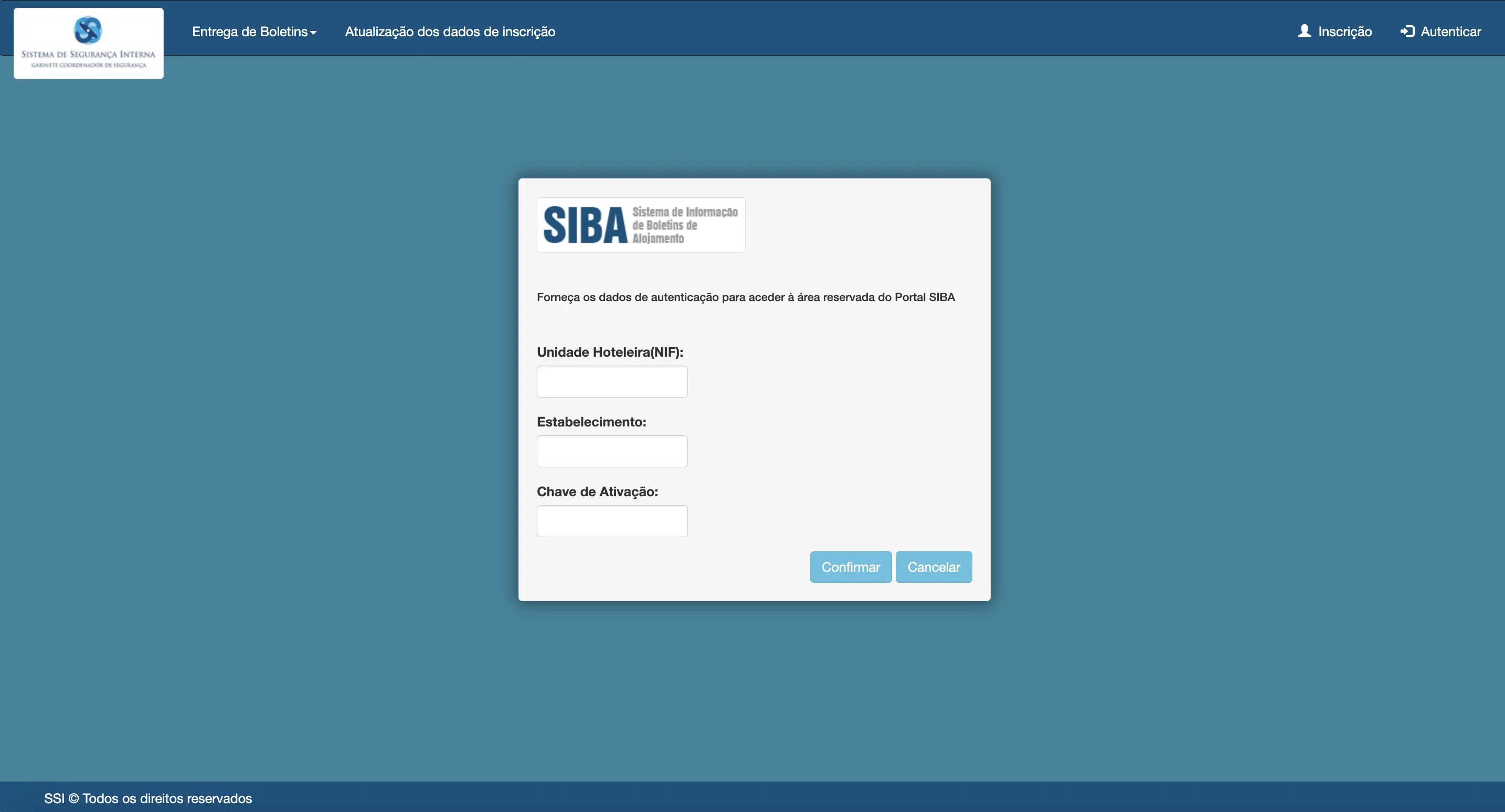
How to Log in to the SIBA Portal ?
Before you can submit any guest data, your property must be registered as a user of the SIBA system. This is a one-time setup — here is exactly how to do it. For a shortcut - Upload your RNAL PDF and get the form pre-filled: free SIBA Helper
Step 1 — Go to the SIBA portal Open https://siba.ssi.gov.pt and click "Área Reservada" in the top right corner. Use a computer rather than a phone — the portal is not mobile-friendly.
Step 2 — Select "Inscrição" (Registration) This opens the registration form for new accommodation providers.
Step 3 — Fill in your entity details You will need your NIF (or company details if your AL is held by a company). For the activity code (CAE), most AL hosts use 55201 (Alojamento mobilado para turistas) or the code shown on your AL registration — check your Turismo de Portugal documentation.
Step 4 — Fill in your property details Tipologia / Classificação: choose the option matching your AL registration. The most common are "Alojamento Local / Apartamento" for apartments and "Alojamento Local / Moradia" for houses or villas. Nome da Unidade: this must match the property name on your AL registration with Turismo de Portugal exactly. Código Postal: the address and locality fields are filled automatically once you enter the postal code.
Step 5 — Choose your submission method You must select how you will send boletins: Portal (manual entry), Carregamento de Ficheiros (file upload), or Web Service (automated API). If you plan to use EazyAL or any other automation tool, select Web Service. You can change this later, but it requires emailing siba@ssi.gov.pt — so choose correctly the first time.
Step 6 — Submit and wait for your activation key After submitting, you will receive a confirmation email followed by your SIBA activation credentials, typically within 1 to 3 working days. Check your spam folder if nothing arrives. Once activated, you can log into the Área Reservada and start submitting boletins.
Tip: if you manage multiple properties, each unit needs its own establishment registration under your account.
EazyAL handles the Web Service connection for you — once your SIBA credentials are active, you simply add them to your EazyAL account and guest registrations are submitted automatically from then on.

SIBA Login Problems and Common Errors (And How to Fix Them)
The SIBA portal works, but it is a government system — and hosts run into the same handful of problems again and again. Here are the most common ones:
I never received my activation key Activation credentials usually arrive within 1 to 3 working days of registration. Check your spam folder first. If nothing arrives after 3 working days, contact siba@ssi.gov.pt from the email address you used to register, quoting your NIF.
I forgot my SIBA password. Use the recovery option on the Área Reservada login page. If recovery fails or your registered email is no longer accessible, you will need to email SIBA support with your NIF and establishment number to reset access.
I chose the wrong submission method You cannot change from Portal to Web Service (or vice versa) inside the portal itself. You must send an email to siba@ssi.gov.pt requesting the change, including your name as registered contact, your NIF, your establishment number, and the new method you want. Allow a few working days for processing.
The SEF portal rejects my guest's document number. Double-check the document type matches the number format — a common error is selecting "Bilhete de Identidade" for a passport or entering the document number with spaces. Always copy the number exactly as printed on the travel document.
My SIBA guest boletim was submitted but I am not sure it was accepted. In the Área Reservada you can consult previously sent lists and issued notices (Consulta de Ofícios Emitidos). Keep a copy or screenshot of each submission — AIMA can request proof of historical compliance during an inspection.
The SIBA portal is down and my deadline is approaching. It happens, especially during peak season. Document your attempt (screenshot with timestamp) and submit as soon as the portal is back. If the outage is prolonged, contact siba@ssi.gov.pt to report it. With a Web Service integration like EazyAL, submissions are queued and retried automatically — you do not need to babysit the portal.
If logging into SIBA at midnight to fix a rejected boletim sounds familiar, this is exactly the problem EazyAL was built to remove. Guest data is collected before arrival, validated, and submitted automatically — errors and deadlines stop being your problem.
The 3-Working-Day Deadline — Don't Miss It
The registration must be submitted within 3 working days of the guest's arrival here. This is a strict legal deadline. Weekends and public holidays do not count, but be careful — if a guest arrives on a Thursday, you may have less time than you think.
Many hosts discover this rule only after receiving a fine. Set up a system (or let EazyAL handle it automatically) so that SIBA submissions happen at check-in, not after.
What Information Do You Need to Submit to the "new SEF"?
For each foreign guest, you must collect and submit the following:
Full name
Date of birth
Nationality
Document type (passport or national ID card)
Document number and expiry date
Country of residence
Date of arrival and expected departure
This information must come directly from the guest's official travel document — not just what they type into a form.
SIBA Estabelecimento Codes Explained
When submitting boletins, SIBA identifies your property type using a numeric "Estabelecimento" code. Hosts often see a number like 0, 1, 2 or 4 and have no idea what it refers to. Here is what each code means.
Code 0 — Hotel or hotel establishment Code 1 — Apartment (Alojamento Local / Apartamento) Code 2 — House or villa (Alojamento Local / Moradia) Code 3 — Lodging establishment / Hostel Code 4 — Room accommodation (Quartos)
For most Alojamento Local hosts, the right code follows your AL registration with Turismo de Portugal: apartment ALs are typically 1, detached houses and villas are 2, hostels are 3, and room rentals are 4.
Not sure which applies to you? Check your AL registration certificate — the typology listed there (Apartamento, Moradia, Estabelecimento de Hospedagem, Quartos) maps directly to the SIBA code. If your SIBA registration shows a different typology than your AL licence, update your SIBA registration data ("Atualização dos Dados de Inscrição") to keep them consistent.
Code | Type |
|---|---|
0 | Hotel / Hotel establishment |
1 | Apartment (Alojamento Local) |
2 | House / Villa (Moradia) |
3 | Lodging establishment / Hostel |
4 | Room accommodation (Quartos) |
For most AL hosts:
Apartment AL → usually 1
House/Villa AL → usually 2
Hostel → usually 3
Room rental AL → usually 4
Three Ways to Submit Guest Data to SIBA
AIMA provides three methods for submitting accommodation forms:
1. Manual Entry on the SIBA Portal
You log into https://siba.ssi.gov.pt/ (the AIMA/SIBA portal) and enter each guest's details manually. This works but is time-consuming, especially during peak season when you may have multiple guests checking in at once. EazyAL has an automated solution for SIBA reporting via SIBA portal for hosts. When your guest completes the check-in form, their data is sent to AIMA without you neding to manually login in and fill the form.
2. File Upload SIBA method
If you use property management software, it may allow you to export a formatted file containing all guest data, which you then upload directly to the SIBA portal. This saves time compared to manual entry but still requires you to log in and upload the file.
The SIBA method "File Upload" requires the file to have the .dat file type and resemble the following structure :
0|BA03|316024449|0000|DANIEL DDO|15 CAMINHO DE ILHEU|CAMARA DE LOBOS|9400|072|915624553|915624553|DANIEL DE OLIVEIRA|INFO@EAZYAL.COM|
1|HAILE||AFG||20260615|94061751390|P|AFG|AFG||20260615|20260618|
1|JOSE|XAVIER|ALB||20260615|9406175139088|P|AFG|AFG||20260615|20260619|
9|00004|20260702|00002|
3. Web Service (Automated API) SIBA method
The most efficient method: your platform or management software sends guest data directly to SIBA via an API integration — automatically, at the point of check-in. This is how EazyAL handles SIBA reporting for hosts. When your guest completes the check-in form, their data is transmitted to AIMA without you lifting a finger.
Manual Entry vs File Upload vs Web Service: Which SIBA Method Should You Use?
AIMA gives hosts three ways to submit boletins de alojamento. They are not equal — the method you choose determines how much time you spend per guest and how likely you are to miss the 3-working-day deadline.
Manual Entry (Portal) | File Upload | Web Service (API) | |
|---|---|---|---|
How it works | Log in and type each guest's details by hand | Export a formatted file from your software, log in, upload it | Guest data is sent to SIBA automatically at check-in |
Time per guest | 5–10 minutes | 2–3 minutes (plus export step) | 0 minutes — fully automatic |
Risk of typos | High — manual retyping of passport data | Medium — depends on source data quality | Low — data comes straight from the guest's check-in form |
Risk of missing the deadline | High — depends entirely on you remembering | Medium — still requires you to log in regularly | Near zero — submission happens at check-in |
Works with self check-in | Poorly — you may never see the documents | Poorly — same problem | Yes — guests submit documents before arrival |
Best for | Hosts with very occasional bookings | Hosts with a PMS but no API integration | Any host who wants compliance handled automatically |
Cost | Free, but expensive in time | Software-dependent | Included in tools like EazyAL |
The verdict is straightforward: manual entry works if you host a handful of guests per year and live near the property. The moment you have regular bookings, self check-in, or more than one unit, the Web Service method is the only one that removes deadline risk instead of just shifting it around.
EazyAL is best integrated with the SIBA Web Service integration. Your guest fills in a check-in form before arrival, the data is validated, and the boletim is submitted to AIMA automatically — no portal logins, no exports, no deadlines to remember. However, EazyAL can automate file upload and the portal methods too. Speak to the EazyAL team to discuss your situation.
What Happens If You Don't Register Guests?
Failing to register guests with SIBA is a regulatory offence (contraordenação) under Portuguese law. Fines start at €100 per offence and can reach €2,000 or more depending on the number of violations and whether there is a history of non-compliance.
AIMA and local authorities do conduct inspections of Alojamento Local properties. Hosts found with missing or late guest registrations have received fines even for single violations. A few missed submissions during a busy summer can cost you far more than any management tool.
Beyond fines, repeated violations can put your Alojamento Local licence at risk.
SIBA and Self Check-In: A Common Problem
One of the biggest compliance challenges for modern Airbnb hosts is managing self check-in. When guests let themselves in with a key code or lockbox, there is no natural moment for you to collect and verify their documents.
Without a system in place, it is easy for SIBA deadlines to slip past unnoticed — especially if guests check in late at night or during busy periods.
The solution is a digital check-in form sent to guests before arrival. EazyAL guest check-in form asks guests to upload their passport or ID document details before they receive the door code.
Once the data is verified, it is automatically submitted to SIBA through the web service integration.
This approach means:
Guests complete their registration before arrival
Hosts never miss the 3-working-day deadline
No manual data entry required
Full compliance even with self check-in
A Step-by-Step SIBA Compliance Checklist
Use this checklist to make sure you are meeting your obligations:
Register your property on the SIBA portal — each property needs its own account linked to your AL licence number.
Collect guest passport/ID details at check-in — use a digital form or in-person scan.
Verify all required fields are complete — name, DOB, nationality, document details, arrival/departure dates.
Submit the boletim de alojamento within 3 working days of arrival — not 3 calendar days.
Keep records — AIMA may ask you to show historical submissions. Store a copy of each submission.
Check for updates — regulations can change. Follow EazyAL's blog for the latest news on SIBA and AIMA requirements.
How EazyAL Simplifies SIBA for Airbnb Hosts
EazyAL was built specifically for Airbnb and Alojamento Local hosts in Portugal who want to stay compliant without spending hours on government portals.
Here is what EazyAL does for your SIBA compliance:
Automated check-in forms sent to guests before arrival, collecting all required document data
Direct SIBA/AIMA submission via web service integration — no manual uploads
Deadline tracking so no guest ever falls through the cracks
Multi-property support for hosts managing more than one listing
Full audit trail so you can demonstrate compliance if inspected
SIBA compliance is not optional — but it does not have to be stressful. With EazyAL, it happens automatically in the background, every single time.
Frequently Asked Questions About SIBA
Do I need to register Portuguese citizens through SIBA?
No. SIBA is only required for foreign guests. However, it is still good practice to collect ID from all guests for your records.
What if a guest refuses to provide their passport?
Portuguese law requires hosts to collect this information. If a guest refuses, you are legally obligated to decline the booking or contact AIMA for guidance.
Has SIBA changed since SEF became AIMA?
The platform and legal obligation remain the same. The name of the immigration authority changed from SEF to AIMA, but hosts must still submit Boletins de Alojamento for all foreign guests.
Can Airbnb submit SIBA data on my behalf?
No. Airbnb does not submit guest data to AIMA/SIBA. This is entirely the host's responsibility — which is why tools like EazyAL exist.
How long should I keep SIBA submission records?
Best practice is to keep records for at least five years, consistent with Portuguese tax and administrative record-keeping norms.
Do I need to register children and babies through SIBA?
Yes. The obligation covers all foreign guests regardless of age. Minors must be registered with their own boletim, using their passport or ID card details, just like adults.
What if one guest books for a group?
Every foreign guest staying at the property must be registered individually — not just the person who made the booking. Collect documents from all members of the party at check-in.
What happens if a guest extends their stay?
The departure date you submit is the expected one. If a guest extends, best practice is to submit an updated boletim reflecting the new departure date so your records match the actual stay.
Can I submit a boletim late?
You should still submit it, even past the 3-working-day deadline — a late submission is better than no submission. However, the late submission remains a regulatory offence and can be fined if detected during an inspection.
Do I still need SIBA if I use a channel manager?
Usually yes. Most channel managers do not submit guest data to AIMA — they manage calendars and rates, not compliance. Check whether your software has a real SIBA Web Service integration. EazyAL works alongside your channel manager and handles the SIBA side specifically.
How much are SIBA fines?
Fines for missing or late registrations start at around €100 per offence and can climb to €2,000 or more for repeated violations. A single busy summer week with five unregistered check-ins could cost more than years of compliance software.
Do Alojamento Local hosts in the Azores need to submit guests to SIBA/AIMA or SEF?
Yes, If an AL in São Miguel or any region in Açores, receives non-Portuguese guests, it should submit SIBA/AIMA boletins de alojamento.
Stay Compliant. Host Confidently.
SIBA is one of the most important — and most overlooked — compliance obligations for Airbnb hosts in Portugal. The fines are real, the inspections happen, and the burden falls entirely on you as the host.
EazyAL makes it simple. Our digital check-in forms collect guest data before arrival, and our SIBA integration handles submission automatically — so you can focus on giving guests an amazing experience instead of logging into government portals.
Last updated: July 2026. Regulations can change — always verify current requirements with AIMA or a qualified legal advisor.