How to use EazyAL for Alojamento Local

Welcome to EazyAL Alojamento Local Software Tool. In this guide, we will demonstrate all the steps on how to start using EazyAL.

How to Add Your Property

To add your property to EazyAL, in the main dashboard, on the side bar , click "Add Property". Then, enter all the required information.

Add Property Example

Add Reservations (Calendars)

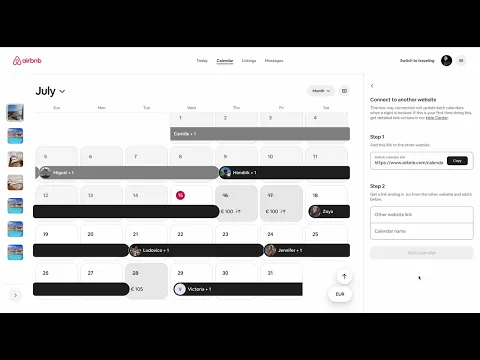
Nowadays, due to GDPR limitations, iCals from portals such as Booking.com and Airbnb, don't contain much useful information. However, EazyAL uses it for importing reservation dates for a combined calendar. It also helps enrich guest check in submissions.

To import bookings via iCal, you first have to Export them from Airbnb and Booking.com. Thereafter copy and paste the link in EazyAL. Do so by clicking Edit Property -> Sync and Compliance Tab

Configure AIMA Boletins SIBA

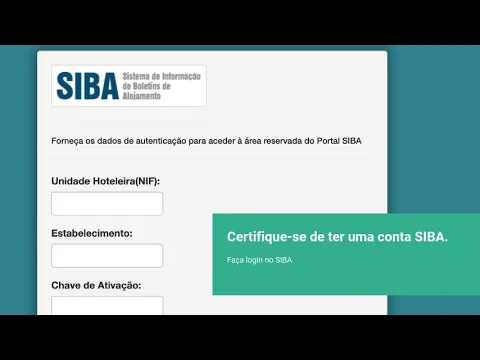
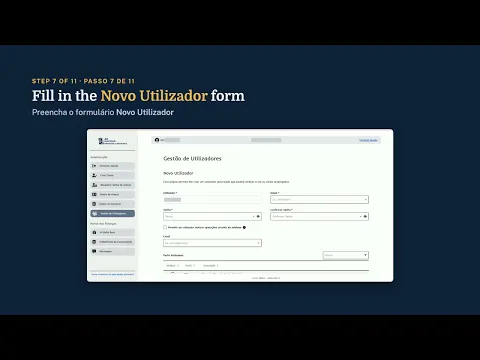
In order to send your accommodation information to SIBA from EazyAL , you must first enter your SIBA credentials. Do so by clicking Edit Property -> Sync and Compliance. Then look for the Credentials SIBA section and add your data: Hotel unit (NIF), establishment code ( often 0 or 1 ) , and activation key ( password).

If you have not registered for SIBA you should here. EazyAL can assist , contact us here.

Siba example

Check-in online

Each property has a unique online check-in link. To submit it to your guests, in the main Dashboard, click on the blue button "Guest Link Guide". Then include the link in a scheduled message in you platform of choice. ( booking.com or Airbnb).

Hello {{guest_name}},

To comply with Portuguese law, all guests must complete their registration
Please complete your check-in here:
LINK
It only takes 1 minute.

Thank you and see you soon

Relatório IPHH INE

You can send your INE (Webinq) IPHH report via EazyAL. Automatically or manually.

Do so by clicking Edit Property -> Sync and Compliance, enter your INE Webinq credentials.

If you are unsure if you should submit IPHH , check your email inbox as candidates are reached via email from webinq@ine.pt about "PHH - Inquérito à Permanência de Hóspedes na Hotelaria e Outros Alojamentos". EazyAL can assist , contact us here.

Taxa turística municipal

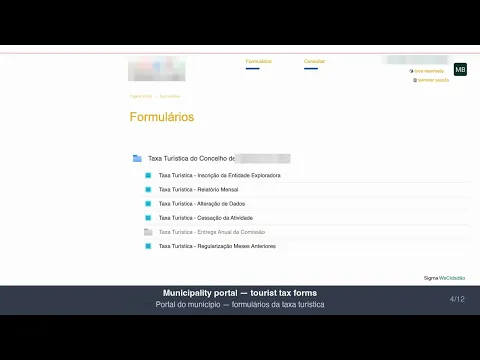
In summary, if your municipality charges a tourist tax, you should register for payments via your municipalities portal.

Add your municipality and tourist tax amount with exemptions to EazyAL. From the main Dashboard, click Compliance -> Tourist Tax

In Portugal. EazyAL then calculates your monthly Tourist Tax and for some municipalities can automate the submission. Tourist Tax is in Portugal fragmented so each municipality Tax submission is handled uniquely.

EazyAL logo

You own property in Portugal. You shouldn't need to become a bureaucracy expert to keep it legal.

Handle guest data, SIBA, INE, invoicing, and tourist tax in one workflow without handing your operation to a management company.

EazyAL logo

You own property in Portugal. You shouldn't need to become a bureaucracy expert to keep it legal.

Handle guest data, SIBA, INE, invoicing, and tourist tax in one workflow without handing your operation to a management company.