XML Tourist Tax Submission in Portugal
What Is XML Tourist Tax Submission?
In Portugal, the Taxa Municipal Turistica (TMT) — also called the tourist tax or city tax — is a municipal levy that AL operators collect from guests on behalf of their local Camara Municipal. By law, operators must periodically declare and remit the amounts collected.
Most municipalities handle this through a dedicated online portal where hosts log in and manually enter guest nights and amounts. However, a subset of municipalities go further: they support structured file uploads — either XML or CSV — that allow bulk submission of declaration data without manual data entry.
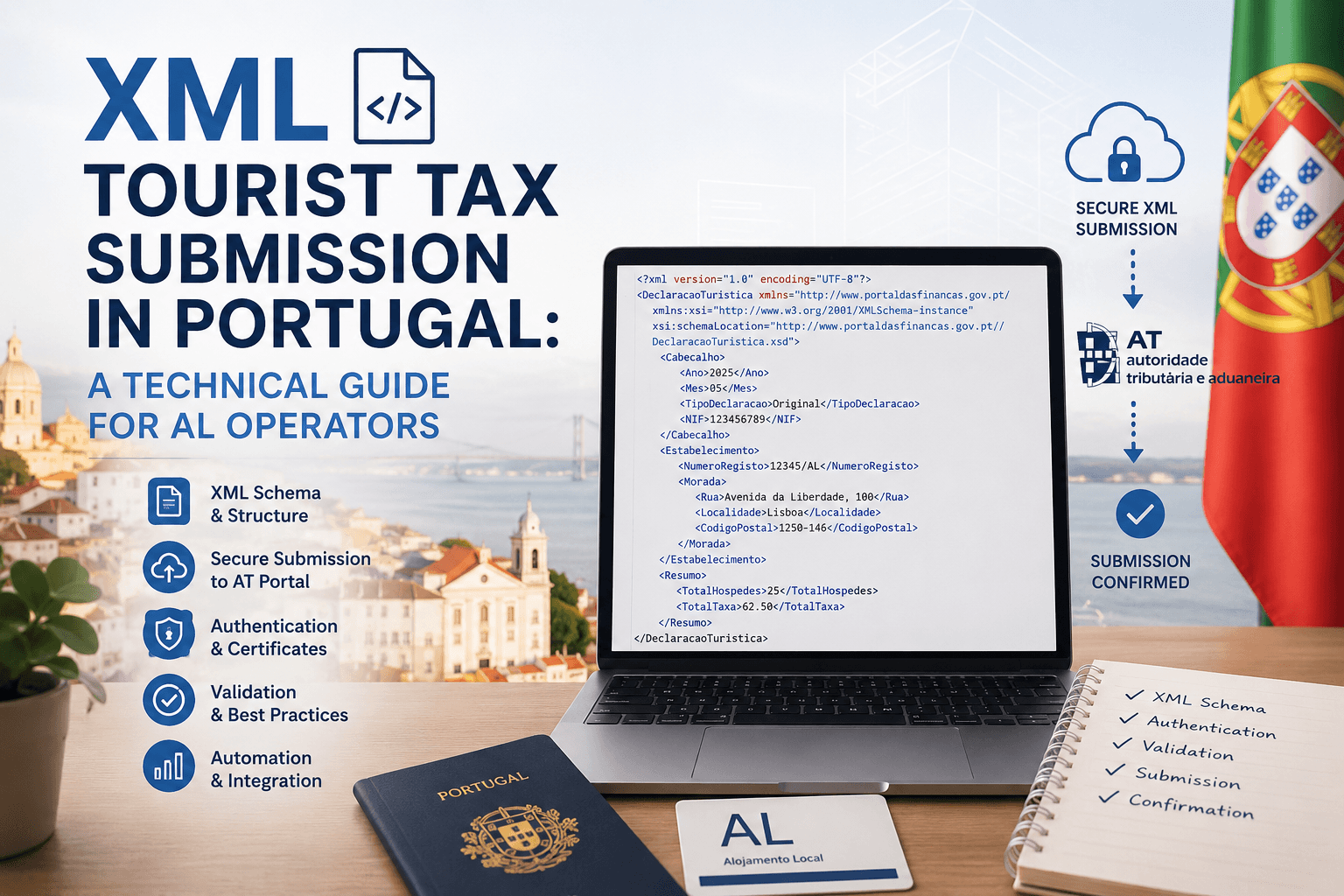
XML submission means generating a file in a municipality-defined schema and uploading it directly to their platform, replacing all manual form filling for that reporting period.
Why Choose XML Submission?
2.1 The Problem with Manual Portal Entry
For hosts with high reservation volumes or multiple properties, logging into each municipal portal every month and manually entering guest nights, applicable rates, and exemptions is time-consuming and error-prone. Each municipality has its own portal, its own interface, and its own deadlines.
2.2 Advantages of XML Submission
Automation-ready: Files can be generated programmatically from reservation data — no human input needed per submission.
Bulk reporting: One file covers all reservations in the reporting period, regardless of volume.
Auditability: Generated files are structured records you can archive and cross-reference against your own data.
Reduced errors: Calculated amounts are embedded in the file rather than typed into a form.
Integration potential: Any platform that holds guest stay data (channel manager, PMS, custom tool) can produce the file automatically.
For EazyAL, XML submission is the natural output format: guest data is already collected and structured, so generating a conforming XML file per municipality is a straightforward transform step rather than a separate workflow.
Which Municipalities Accept XML or CSV Submissions?
Not all 40+ TMT-charging municipalities in Portugal support XML or CSV uploads. Adoption is fragmented — each municipality decides its own submission mechanism. As of 2026, three main pathways exist:
Submission Pathways by Municipality Type
Pathway | How It Works | Notes |
Direct XML/CSV upload | Municipality portal accepts a structured file upload to replace manual entry | Supported by a subset of municipalities; format varies per municipality |
iTaxas integration | Third-party platform (by ACIN) with protocol agreements with dozens of municipalities; accepts API or file input | Broadest coverage; used by tools like Hostkit |
360City integration | GrupoPIE platform; hosts get unique collection links; payment and reporting handled by platform | Guest-facing; less relevant for back-end reporting automation |
Manual portal entry | Login to municipal portal, enter data fields manually | Still required for many municipalities with no file upload option |
Bank transfer only | No portal; send payment with reference; no digital declaration | Some smaller municipalities only |
Known XML/CSV-accepting municipalities :
Hostkit has confirmed direct XML or CSV upload support with specific municipalities in Portugal. The exact list is maintained in their helpdesk documentation and is subject to change as more municipalities add this capability. The general pattern is that larger or more tech-forward municipalities are adding file upload support as their portals mature.
Important: Before implementing XML generation for a specific municipality, verify the current accepted format directly with the Camara Municipal. Formats and field requirements can change without public announcement.
How XML Submission Works — Technical Overview
4.1 General Flow
The process is consistent across municipalities that support it:
Collect guest stay data: guest count, nights, ages, applicable rate, exemptions.
Calculate the taxable amount per stay using the municipality's formula: eligible guests x eligible nights x rate per night.
Generate the XML (or CSV) file conforming to the municipality's schema.
Log into the municipal TMT portal and upload the file for the relevant period (monthly or quarterly).
Receive confirmation and a payment reference number (numero de compromisso).
Remit the declared amount via the payment method accepted by the municipality.
4.2 Typical XML File Structure
While each municipality defines its own schema, the data fields required are largely consistent:
Field | Description | Example Value |
RNAL number | AL registration number identifying the property | 12345/AL |
Reporting period | Month and year of the declaration | 2026-04 |
Total eligible nights | Nights subject to TMT (after exemptions and night caps) | 84 |
Total eligible guests | Guest-nights count meeting age and stay criteria | 112 |
Rate applied | EUR per eligible guest-night | 4.00 (Lisbon), 3.00 (Porto) |
Total amount declared | Total TMT due for the period | 448.00 |
Exemptions applied | Optional: breakdown of exempt nights/guests with reason codes | Children under 13: 14 nights |
OTA-collected amounts | If platform (e.g. Airbnb protocol) collected tax directly | Separate line item |
4.3 Special Case: Airbnb Protocol
Lisbon (and some other municipalities) has a direct protocol with Airbnb. Under this arrangement, Airbnb collects and remits the TMT for bookings made through its platform directly to the municipality. AL operators with exclusive Airbnb activity in Lisbon do not need to remit those amounts themselves — but they are still required to submit the periodic declaration and indicate the Airbnb-contracted nights in the designated field. XML submission must still happen; the payment is simply reduced by Airbnb-handled amounts.
Tax Calculation Reference
The formula is consistent across municipalities, though rates and caps vary:
TMT Due = Eligible Guests x Eligible Nights x Rate per Night
Municipality | Rate (2026) | Night Cap | Age Threshold |
EUR 4.00 / night | 7 nights | 13+ years | |
Porto | EUR 3.00 / night | 7 nights | 13+ years |
EUR 2.00 / night | 7 nights | 13+ years | |
Algarve (varies) | EUR 1.00 - 2.00 / night | 7 nights | Typically 13+ |
Azores (Sao Miguel) | EUR 2.00 / night | 3 nights | Typically 13+ |
Other municipalities | EUR 1.00 - 3.00 / night | Typically 7 nights | Check local regulation |
Rates and caps change. Always pull rate configuration from a municipality-specific source rather than hardcoding. EazyAL should maintain a per-municipality rate table that can be updated without a code change.
Skip the math: calculate the tourist tax for your booking in seconds with our free Portugal Tourist Tax Calculator.
How to Start Using XML Submission
Step 1 — Confirm your municipality supports file upload
Check whether your Camara Municipal's TMT platform (PTMT) accepts XML or CSV file uploads. The quickest way is to log into the platform and look for an import/upload option, or contact the municipality directly.
Alternatively , you can also check the iTaxas municipality protocol list at taxaturismo.pt to see if your municipality is covered.
Step 2 — Obtain the file specification
If direct XML upload is supported, request the technical specification (schema or field definitions) from the municipal portal or download it from their developer/operator documentation section. If using iTaxas, their API documentation covers the required format.
Step 3 — Register your AL on the TMT platform
Your AL must be registered on the municipal PTMT before you can submit declarations. Registration requires your RNAL number and the AL operator's fiscal identification (NIF). This is a one-time step done after AL registration at the Camara Municipal.
Step 4 — Build or configure your data export
The data required for the XML file must come from your reservation records: guest counts, dates, ages (for exemption calculation), and stay durations. If using EazyAL, this data is already captured at guest check-in via the SIBA/AIMA form — the same guest data collected for AIMA registration feeds directly into TMT calculation.
Step 5 — Generate and validate the file
Build the XML file conforming to the municipality's schema. Before first submission, validate it manually against the schema or upload a test file if the portal provides a validation mode. Check especially: RNAL number format, date format, numeric precision for amounts, and required vs optional fields.
Step 6 — Upload and confirm
Upload via the portal for the relevant reporting period. On successful acceptance, the platform issues a numero de compromisso (commitment number). Save this — it is required when invoicing guests for the TMT amount and when making the subsequent payment.
Step 7 — Remit the declared amount
Payment method varies by municipality: bank transfer with structured reference, online payment via the portal, or in some cases direct debit. Deadlines are typically the end of the month following the reporting period (for monthly reporters) or the end of the month following the quarter (for quarterly reporters).
Reporting Periodicity and Deadlines
Periodicity | Who | Declaration Deadline | Payment Deadline |
Monthly | Most operators; mandatory above certain thresholds | End of following month | End of following month |
Quarterly | Available to smaller operators in some municipalities | End of month after quarter end | End of month after quarter end |
At registration | One-time: register the AL on the PTMT | Within legal deadline after RNAL issuance | N/A |
Failure to submit declarations or remit collected amounts on time can result in fines. The TMT is collected in trust for the municipality — it is never the operator's revenue and does not form part of AL income for IRS/IRC purposes.
EazyAL Integration Considerations
EazyAL is positioned to automate this reporting step because the guest data required for TMT calculation overlaps significantly with data already collected for AIMA/SIBA registration:
Data Field | Used for SIBA/AIMA? | Used for TMT XML? |
Guest full name | Yes | No (typically) |
Date of birth / age | Yes | Yes (age determines exemption) |
Nationality / document | Yes | No |
Check-in date | Yes | Yes |
Check-out date | Yes | Yes (derives nights) |
Number of guests per stay | Yes | Yes |
AL RNAL number | Yes | Yes |
Municipality | Implicit | Yes (determines rate and schema) |
Key implementation decisions:
Municipality rate table: Maintain a configurable table of rates, night caps, and age thresholds per municipality. This should be updateable without a code deploy.
Schema per municipality: XML schemas differ. Build a per-municipality file generator, not a generic one — treat each schema as a separate template.
Airbnb/OTA flag: Reservations from OTA-protocol platforms need a flag so their amounts are excluded from the remittance total (but still appear in the declaration).
Exemption tracking: Age-based exemptions require knowing guest age at check-in. Ensure the guest form captures date of birth, not just a boolean 'over 13' flag.
Commitment number storage: After upload, store the numero de compromisso against the reporting period so it can be referenced on invoices.
Common XML Submission Errors & Solutions
Error Code | What Causes It | Solution |
|---|---|---|
Invalid NIF Format | Taxpayer ID contains spaces, dashes, or wrong digit count | Ensure NIF is exactly 9 digits with no separators (e.g., 123456789, not 123.456.789) |
Missing Mandatory Field | Required field (guest name, dates, amount) left blank | Verify all guest data, check-in, check-out, and tax amount are populated before submission |
XML Schema Validation Error | File structure doesn't match official Portuguese template | Use AT-certified billing software (Fiskaly, SAF-T providers) to generate files; never hand-edit XML |
Date Format Mismatch | Dates submitted as DD/MM/YYYY instead of YYYY-MM-DD | Convert all dates to ISO 8601 format (2026-05-15, not 15/05/2026) |
Duplicate Record Detected | Same guest, same property, same dates submitted twice | Check booking records for duplicate entries; the system stores historical submissions |
Currency Code Invalid | Tax amount submitted in wrong format | Use EUR currency code; ensure amounts use decimal format (€2.00, not €2,00) |
Account Number Mismatch | Bank account doesn't match municipality records | Contact Câmara Municipal to verify registered account; resubmit with correct account reference |
FAQ - XML Tax Submission
Q: What happens if I miss the XML submission deadline? A: Missing deadlines for municipal tax submissions can result in penalties ranging from €100-€2,000 depending on the number of omitted records. For example, failing to report 1-10 guest registrations carries fines of €100-€500, while 11-50 omissions result in €200-€900 penalties. Most municipalities allow a grace period of 5-10 days before penalties apply. Contact your municipality's tax office immediately if you miss the deadline; many will accept late submissions with a nominal fee rather than imposing full penalties.
Q: Can I submit XML files for multiple municipalities in one batch? A: No. Each municipality maintains its own portal and file submission system. You must submit separate XML files to each municipality (Ponta Delgada, Sintra, Funchal, etc.) using their specific portal. However, EazyAL handles this automation—our software generates municipality-specific XML files and submits them to the correct portals automatically, saving you from manual submissions.
Q: What file formats are accepted besides XML? A: Portuguese municipal tax systems require SAF-T XML format (Portuguese Standard Audit File for Tax, specified in Portaria No. 321-A/2007). Some municipalities accept PDF reports for reference only, but XML is the mandatory format for official submissions. All files must be generated from AT-certified (Autoridade Tributária e Aduaneira) software.
Q: How long does it take for the municipality to confirm receipt of my XML submission? A: Most municipalities provide immediate confirmation (within seconds to minutes) through their online portal showing "Submission Accepted" with a reference number. However, full validation and processing can take 5-15 business days. You can check submission status in your municipality's online portal using your registration number. If you don't receive confirmation within 24 hours, the submission may have failed due to a validation error—check your email for error reports.
Q: What's the difference between submission deadline and payment deadline? A: Submission deadline is typically the 5th of the month following the reporting period (by May 5 for April collections). Payment deadline is usually 15-30 days after submission. For example: collect taxes in April → submit XML by May 5 → pay balance due by May 20-31 depending on municipality. Missing submission deadline incurs filing penalties; missing payment deadline incurs interest charges (typically 3-5% per month).
Time Savings Statistics
Before Automation (Manual Process):
Average time to compile guest records: 4-6 hours per municipality per month
Time to format data correctly: 1-2 hours (risk of errors)
Time to verify and correct errors: 2-3 hours (discovery of format problems)
Follow-up on failed submissions: 1-2 hours
Total: 8-13 hours per municipality per month
After Automation with EazyAL:
Automatic collection from booking platforms: 0 hours (real-time)
Format conversion and validation: 0 hours (automated)
Error correction: 0 hours (validation happens before submission)
Submission: 0 hours (scheduled automatic)
Total: 0 hours (full automation)
Annual Savings (3 properties across 3 municipalities):
Manual approach: 8-13 hours × 3 municipalities × 12 months = 288-468 hours/year
At €30/hour (industry standard for bookkeeper time): €8,640-€14,040/year in labor costs
At €50/hour (professional accountant rate): €14,400-€23,400/year in labor costs
Risk cost of one missed submission: €100-€2,000 in fines
This document is an internal technical reference for EazyAL development. Municipal regulations and portal capabilities change frequently. Always verify current requirements directly with the relevant Camara Municipal or iTaxas before implementing submission logic.
Link to these related guides:
Automate Calheta Municipal Tourist Tax with EazyAL and iTaxas 2026 — Learn how municipalities integrate XML submission with iTaxas
Portugal Local Accommodation Laws 2026: The Complete Legal Guide — Understand the regulatory framework requiring XML submissions
Sintra Municipal Tourist Tax: Ready to Save Time? Automate with EazyAL — See how other municipalities handle tax reporting