SIBA File Upload: How to Submit Accommodation Bulletins

Every Alojamento Local in Portugal must report foreign guests to SIBA (Sistema de Informação de Boletins de Alojamento), managed by AIMA (formerly SEF), within 3 working days of check-in. What many hosts don't know is that the SIBA portal is not the only way to do it — and it's the slowest.
Summary
SIBA/SEF File Upload is one of the three official ways to submit accommodation bulletins in Portugal, alongside the manual SIBA portal and Web Service submission. Instead of entering each foreign guest manually into the SIBA portal, hosts can upload a structured
.DATfile containing all guest records at once.This makes File Upload much faster than manual portal entry, especially for families, groups, or multiple check-ins. However, the file must follow a strict format, including the correct establishment line, guest lines, control line, record count, dates, document types, and file sequence number. If anything is incorrect, SIBA may reject the file.
For hosts who want to avoid manual forms, file formatting, and deadline tracking, the best long-term option is Web Service submission. This allows software like EazyAL to collect guest data and submit SIBA accommodation bulletins automatically, helping hosts save time, reduce errors, and stay compliant.
The three ways to submit a boletim de alojamento to SEF (now called SIBA)
SIBA accepts accommodation bulletins through three channels:
Portal — you log in at siba.ssi.gov.pt and type each guest's details manually into a web form.
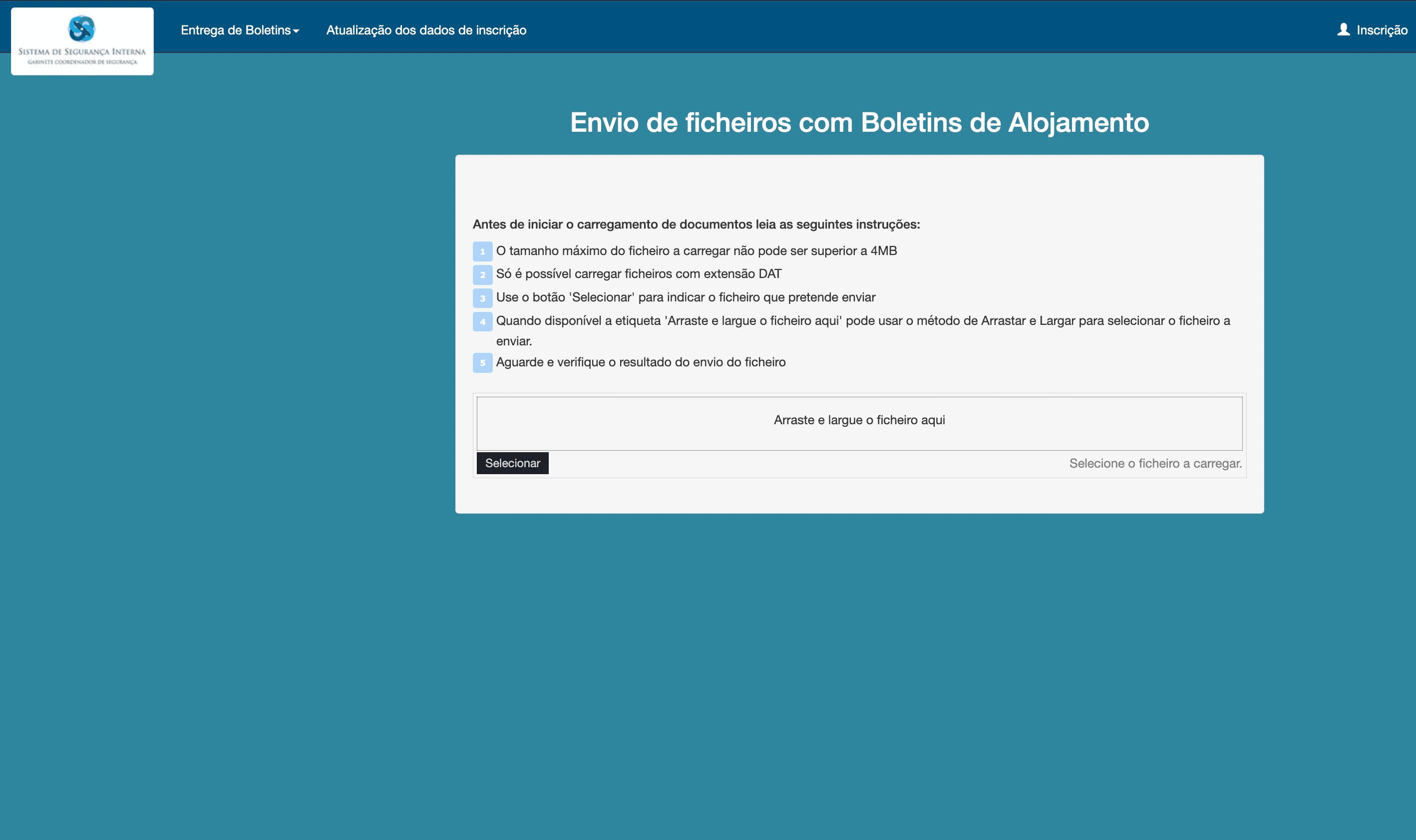
File Upload (Carregamento de Ficheiro) — you upload a single structured file (.DAT) containing all your guests at once.
Web Service — your property management software sends bulletins automatically via API, with no manual work.
Each SIBA account is configured for one method. If yours is set to Portal, you can request a change (more on that below).
Why File Upload beats the portal
With the portal, registering a family of five means filling five separate forms — name, nationality, birth date, document number, dates of stay — one guest at a time. Ten guests across two check-ins can easily take 20–30 minutes, and every keystroke is a chance for a typo that invalidates the bulletin.
With File Upload, you prepare one file containing every guest and submit it in a single upload. Whether it's 5 guests or 50, the submission takes seconds. The file also gives you a record of exactly what you sent — useful if you ever need to prove compliance.
How the DAT file works (with example)
The file uses pipe-separated (|) fields, one line per record, saved as a .DAT file. It has three record types:
Line type 0 — your establishment data (one line, always first)
Line type 1 — one line per foreign guest
Line type 9 — a control line closing the file
Here's a complete example with dummy data:
Line 0 (establishment): version code (BA03), your SIBA establishment number, unit code, establishment name, address, locality, postal code (4 + 3 digits), phone, fax, contact name, and email.
Lines 1 (guests): surname, first name, nationality (3-letter ISO code), birth date (YYYYMMDD), document number, document type (P = passport, B = ID card, O = other), issuing country, country of residence, check-in date, and check-out date.
Line 9 (control): total number of records in the file (here 00004: 1 establishment + 2 guests + 1 control line), the file date, and the file sequence number.
The filename itself follows a rule: your 9-digit establishment number plus a sequential file number — for example 123456789000000001.DAT for your first file. Each new upload must increment the sequence.
Get any field, count, or sequence wrong and SIBA rejects the file — which is exactly why most hosts either stick with the slow portal or automate the whole thing.
Want to switch methods? Email SIBA
Your submission method is set on your SIBA account, so to move from Portal to File Upload — or better, to Web Service — send a request to siba@ssi.gov.pt with your establishment details and the method you want. Web Service is the method worth asking for: it's the one that allows software to submit bulletins for you, instantly and without files or forms.
Skip the manual work entirely with EazyAL
Even with File Upload, you're still formatting files, tracking sequence numbers, and watching the 3-working-day deadline. EazyAL connects to your Airbnb and Booking.com calendars, collects guest data at check-in, and submits your boletins de alojamento to SIBA automatically via Web Service — correctly formatted, on time, every time. It handles your tourist tax (taxa turística) reporting too.
Create your free EazyAL account and never type a guest bulletin again.
FAQ
1. What is SIBA File Upload?
SIBA File Upload, or Carregamento de Ficheiro, is a submission method where an Alojamento Local host uploads a structured .DAT file containing guest accommodation bulletins. Instead of typing each guest into the SIBA portal manually, the host submits multiple guest records in one file.
2. Is File Upload faster than using the SIBA portal?
Yes. The SIBA portal requires hosts to enter each foreign guest one by one, which can take a lot of time for families, groups, or multiple bookings. With File Upload, all guest data can be submitted in one upload, making the process much faster.
3. What format does the SIBA DAT file use?
The SIBA .DAT file uses pipe-separated fields, with each field separated by the | character. The file normally includes three types of lines: line type 0 for establishment details, line type 1 for each foreign guest, and line type 9 as the control line that closes the file.
4. Why can a SIBA DAT file be rejected?
A SIBA DAT file can be rejected if the format is incorrect, if required fields are missing, if the record count is wrong, if dates are invalid, or if the file sequence number is incorrect. This is why many hosts find File Upload faster than the portal but still difficult to manage manually.
5. Can EazyAL submit SIBA bulletins automatically?
Yes. EazyAL uses the Web Service method to submit SIBA accommodation bulletins automatically. Guests complete their check-in form, EazyAL formats the data correctly, and the bulletin is submitted without the host needing to type into the portal or prepare a DAT file manually.
6. SIBA the same as SEF?
Yes. The department was renamed.
7.Why does SIBA reject a .DAT file with an “invalid document issuing country” or “invalid country of residence” error?
SIBA requires country codes from its official ICAO country table. Some codes differ from standard ISO codes—for example, Germany must be submitted as D, not DEU.
If the error displays (DEU), regenerate the .DAT file with the correct SIBA country code and upload the corrected file again. Re-uploading the original file will produce the same error.