How to Sync Alojamento Local to Booking with EazyAL

Booking.com is one of the largest sources of online bookings world wide, so connecting it to EazyAL is one of the most valuable steps you can take to increase your bookings.
Before You Begin
Make sure your property is already live on the Booking.com extranet, with your room types, rate plans, and photos in place.
On the EazyAL side, confirm that your matching room types and rate plans are configured, since you'll need them during mapping.
Step 1: Find Your Property ID
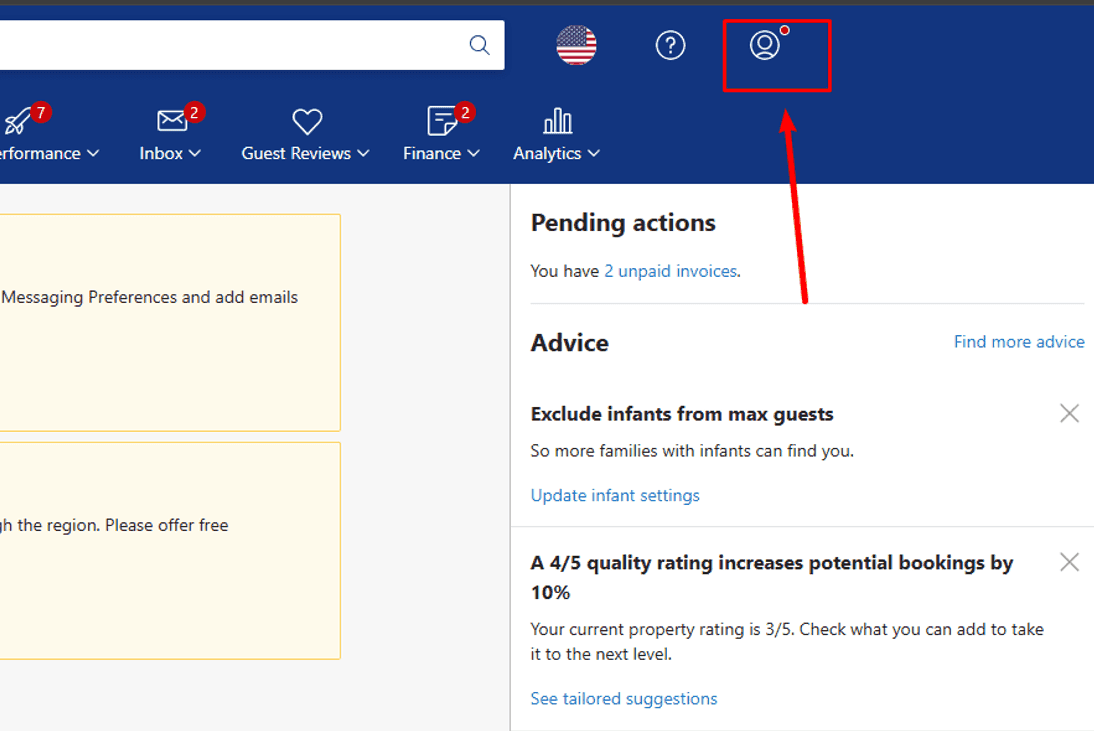
Log in to your Booking.com extranet and locate your property ID, shown at the top of the screen next to your property name. Copy it down, as you'll need it shortly to confirm the connection.
Step 2: Set Your Connectivity Provider
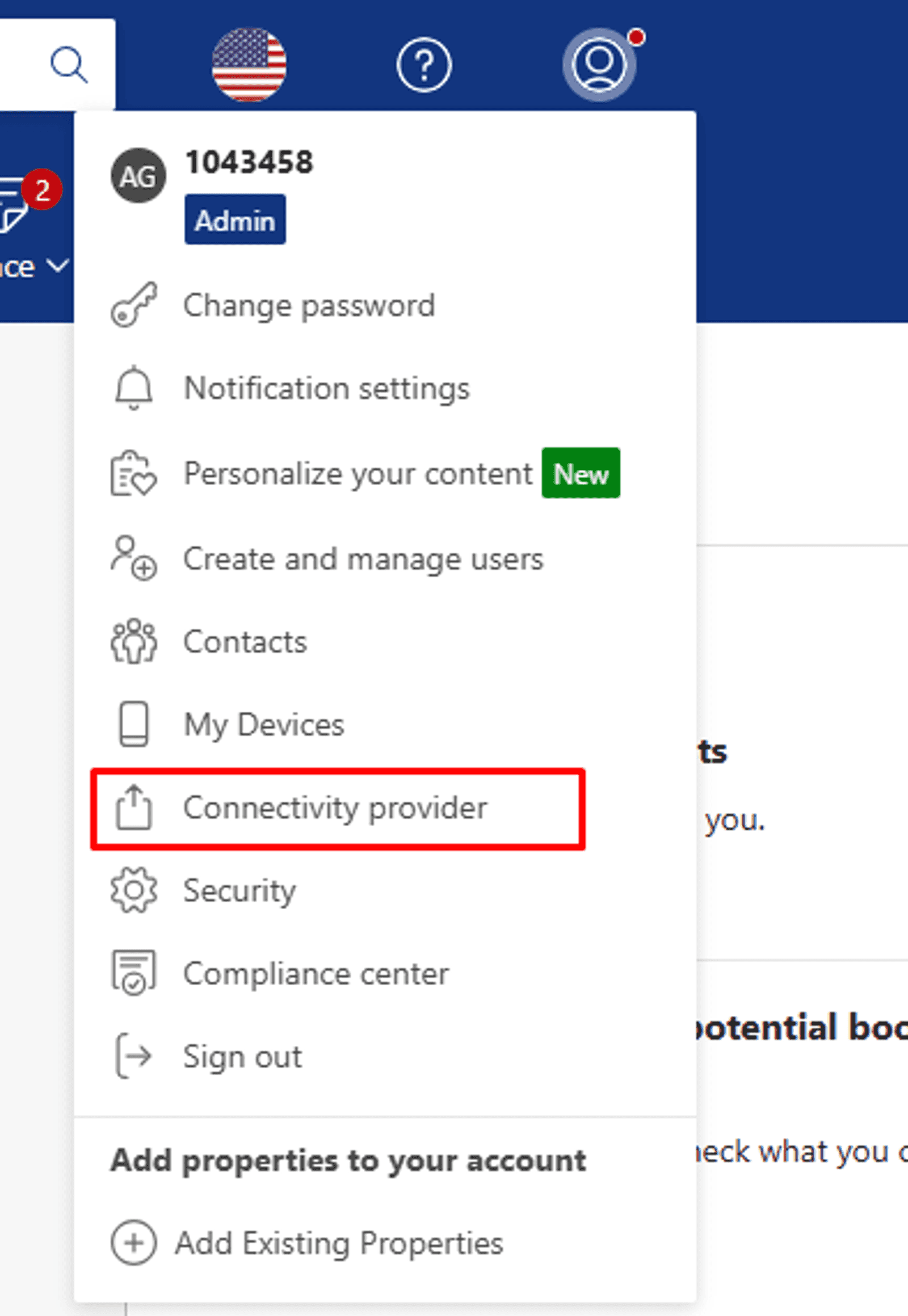
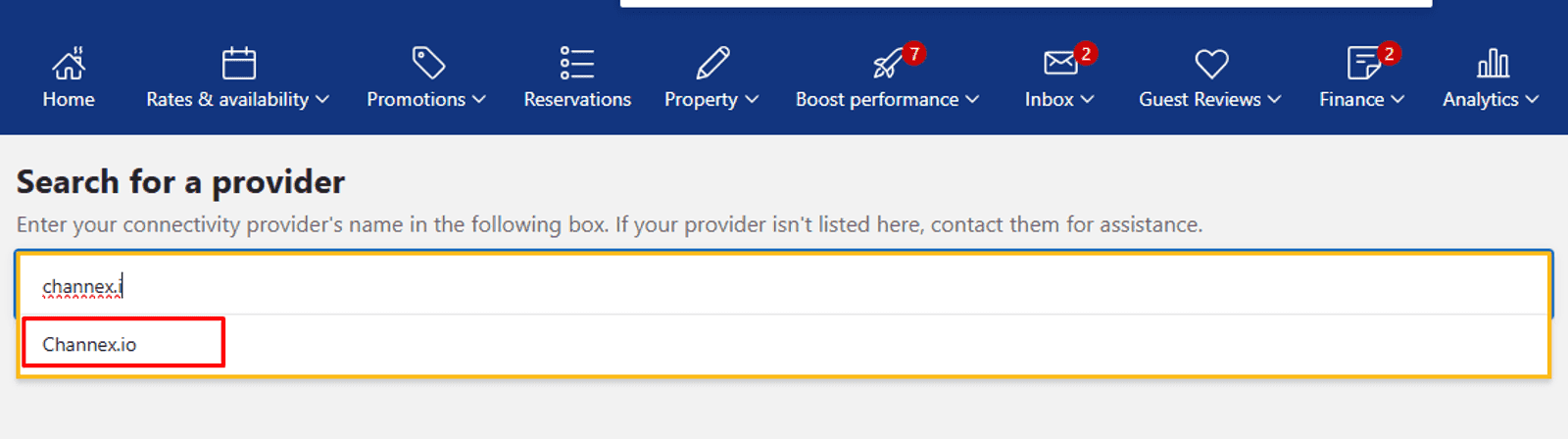
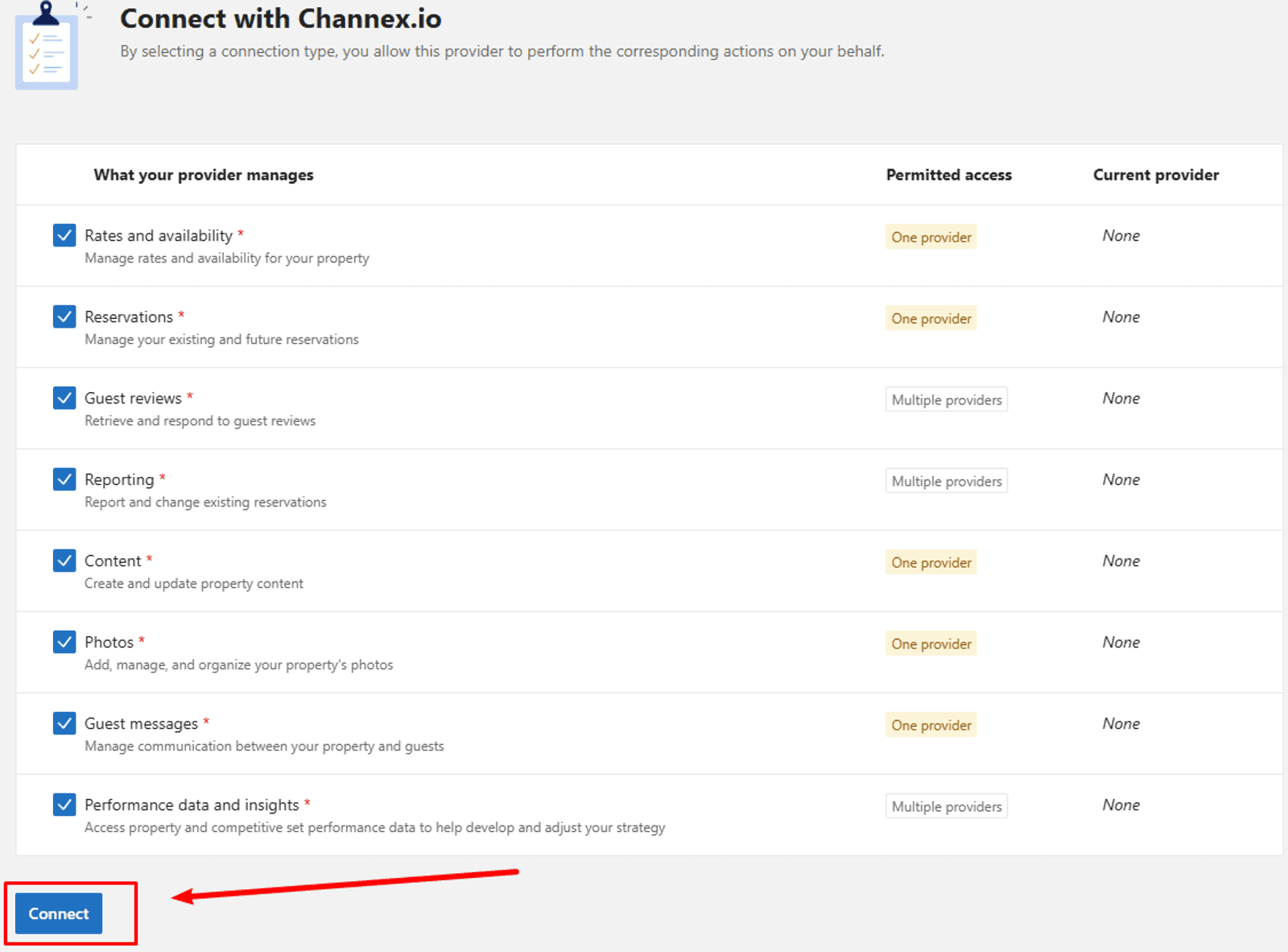
In the Booking.com extranet, go to Account and open Connectivity Provider. Search for "Channex" — type the full word, as a partial search won't return it — then select it from the list. Accept the terms and conditions to send your request.
If your property is already linked to another provider, you'll need to disconnect it first. Booking.com may take a short while to approve the request before you can continue.
Step 3: Create the Channel in EazyAL
Once Booking.com has approved the connection, open the Channel Manager in EazyAL and create a new Booking.com channel.
Step 4: Review your calendar
Before connecting to Booking.com , review your Alojamentos prices and bookable dates in a calendar view. You can also block dates and set date ranges for unique prices.
Step 4: Map Your Rooms and Rates
This is the most important step. You'll see your Booking.com room types and rates on one side and your EazyAL inventory on the other.
Match each one carefully — if you have several rooms with similar names, use the room ID shown next to each to map them accurately.
Step 5: Activate and Go Live
You can't activate a channel until mapping is finished.
A Quick Tip
After connecting, review your derived rates in Booking.com settings like minimum stay can occasionally be adjusted automatically. If anything looks off or bookings aren't syncing, check the channel log or contact EazyAL support, and we'll help you get live.